
Shelf Manual
Sudoku
Sudoku in your terminal, with notes, hints and a save after every move.
Released Version 1.0.0 · Oct 2026
What it is
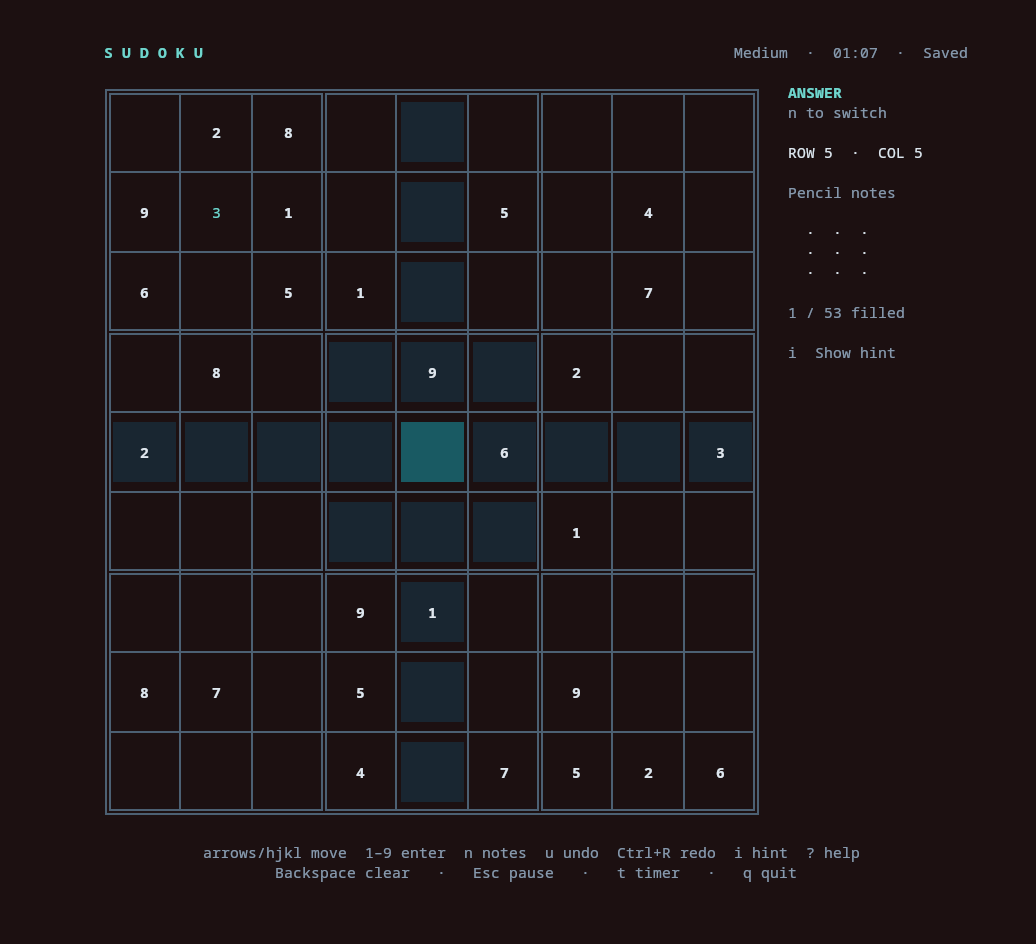
A complete Sudoku that runs in a terminal. Download it, run ./sudoku, and play with the arrow keys or h j k l. It needs no Go and no internet connection.
Playing
Type 1 to 9 to fill a cell, or press n to switch to pencil notes. A wrong answer turns red. A right one clears that number from the notes in the same row, column and box. Press i for a hint, then Enter to apply it or Esc to dismiss it.
Every change is saved as you go, including undo, redo and hints. Choose Resume game next time to carry on.
Under the hood
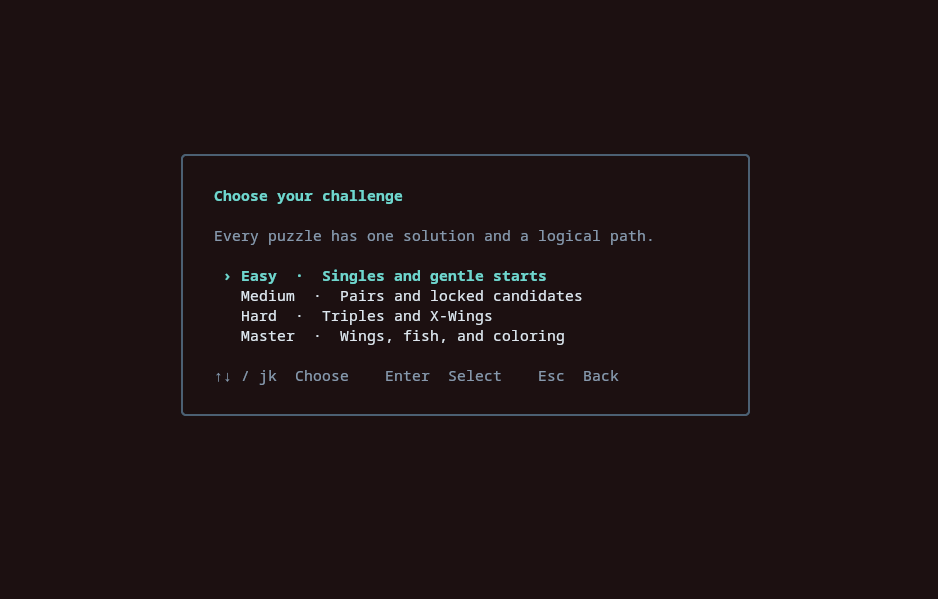
Puzzles are generated on your machine and graded by the techniques a person would need to solve them, which is how the four difficulties stay honest. Set NO_COLOR=1 if you’d rather play without colour.
Spec sheet
- Status
- Released, version 1.0.0, Oct 2026
- Runs on
- Linux amd64 and arm64, in a terminal at least 80 × 24.
- Built with
- Go
- Licence
- 0BSD. Use it for anything, no attribution needed.