
Shelf Manual
Paperphase
A calm e-paper information display for the Raspberry Pi.
In progress Version 0.1.0 · Nov 2026
What it is
Paperphase turns a Raspberry Pi and an e-paper panel into a quiet information display for a hallway or a desk: today’s weather, what’s on the calendar, when the next tram leaves. E-paper holds its image without power and doesn’t glow, so it sits in a room without demanding attention.
Where it’s at
Paperphase is in active development, at version 0.1.0. The service, the editor and most of the data sources work against a simulated display, and it runs headless on a Pi Zero 2 W. A full refresh of the real panel has been confirmed. Automatic updates to the physical screen and partial-refresh testing are still to come.
How it works
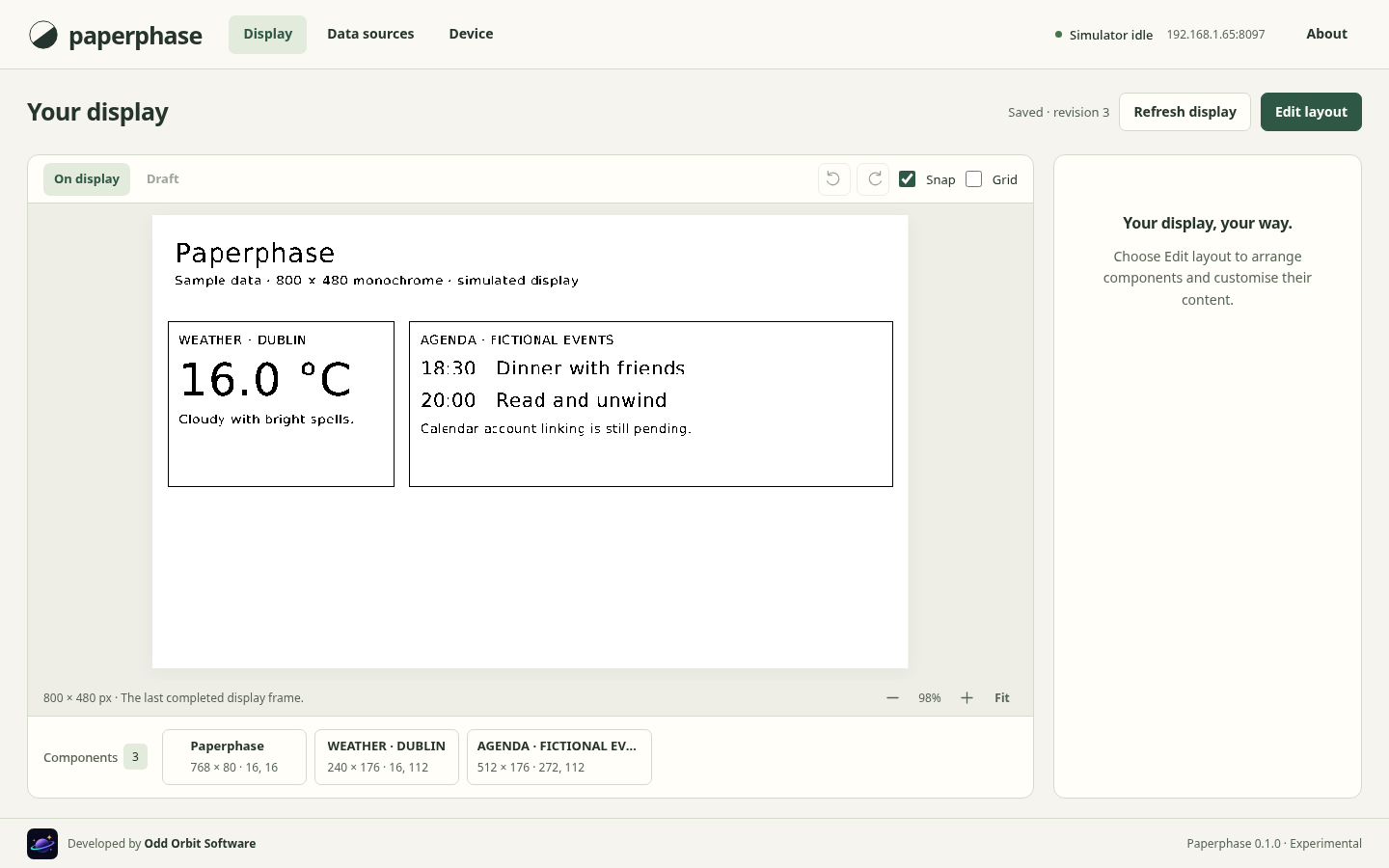
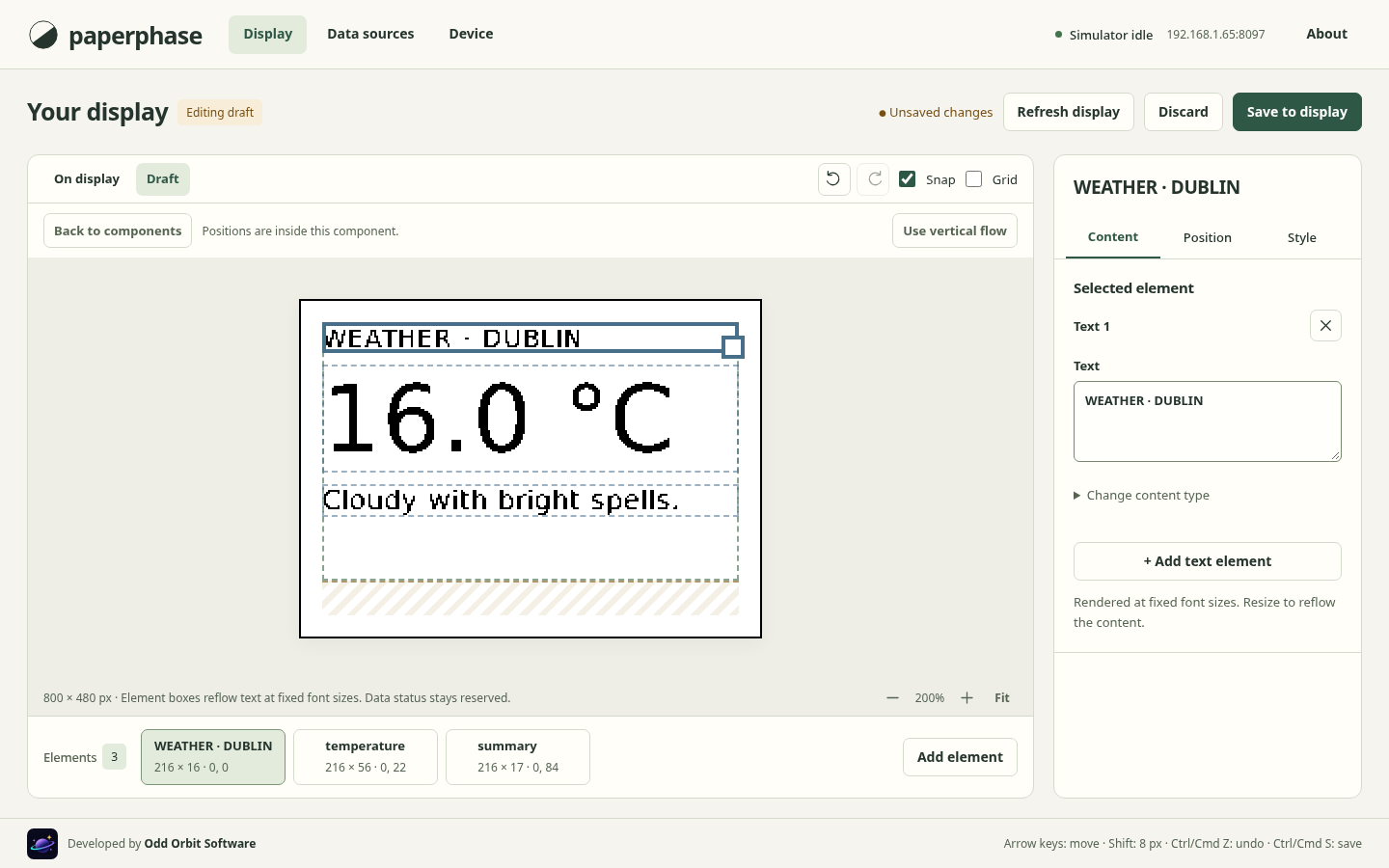
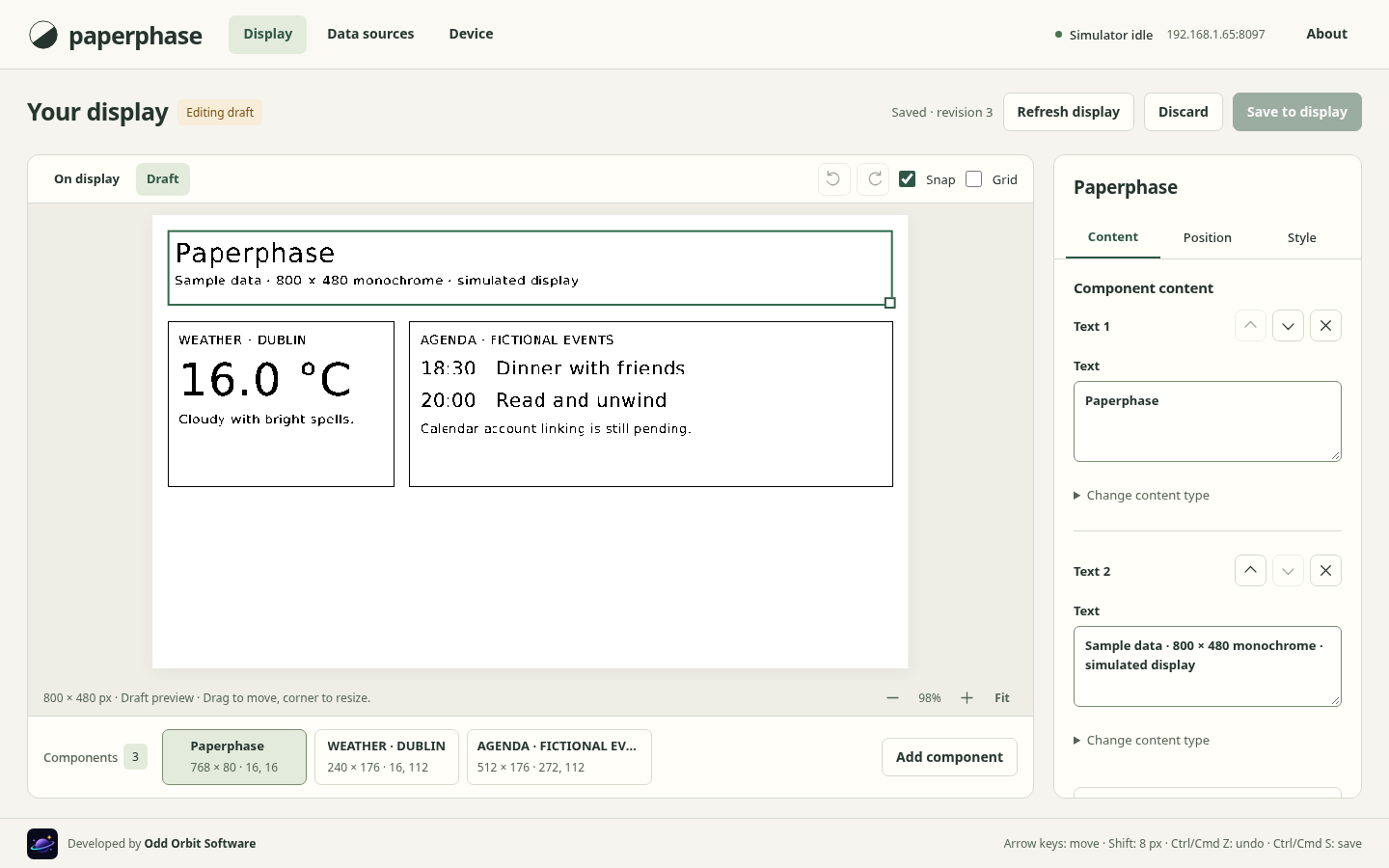
A Rust service runs on the Pi and serves a layout editor to any browser on your network. You arrange components on a preview of the actual 800 × 480 screen. They can’t overlap, they snap into place, and undo works. Nothing reaches the display until you save, and the panel then updates according to its refresh policy.
Each data source is a compiled WebAssembly plugin running in a sandbox. Weather, RSS headlines, Luas and Dublin Bus times, air quality, daily quotes, JSON endpoints and a combined Google Calendar agenda work so far. Plugins share the host’s networking, scheduling and caching, so each one stays small.
Spec sheet
- Status
- In progress, version 0.1.0, Nov 2026
- Runs on
- Raspberry Pi Zero 2 W with a Waveshare 7.5" e-paper HAT (800 × 480, monochrome).
- Built with
- Rust service, WebAssembly plugins, browser editor
- Licence
- Non-commercial, with attribution. Exact terms not yet chosen.