

Shelf Manual
Vox Folio
Your Audiobookshelf library on the big screen, made for the remote and the sofa.
Released Version 0.12.0 · Nov 2026
What it is
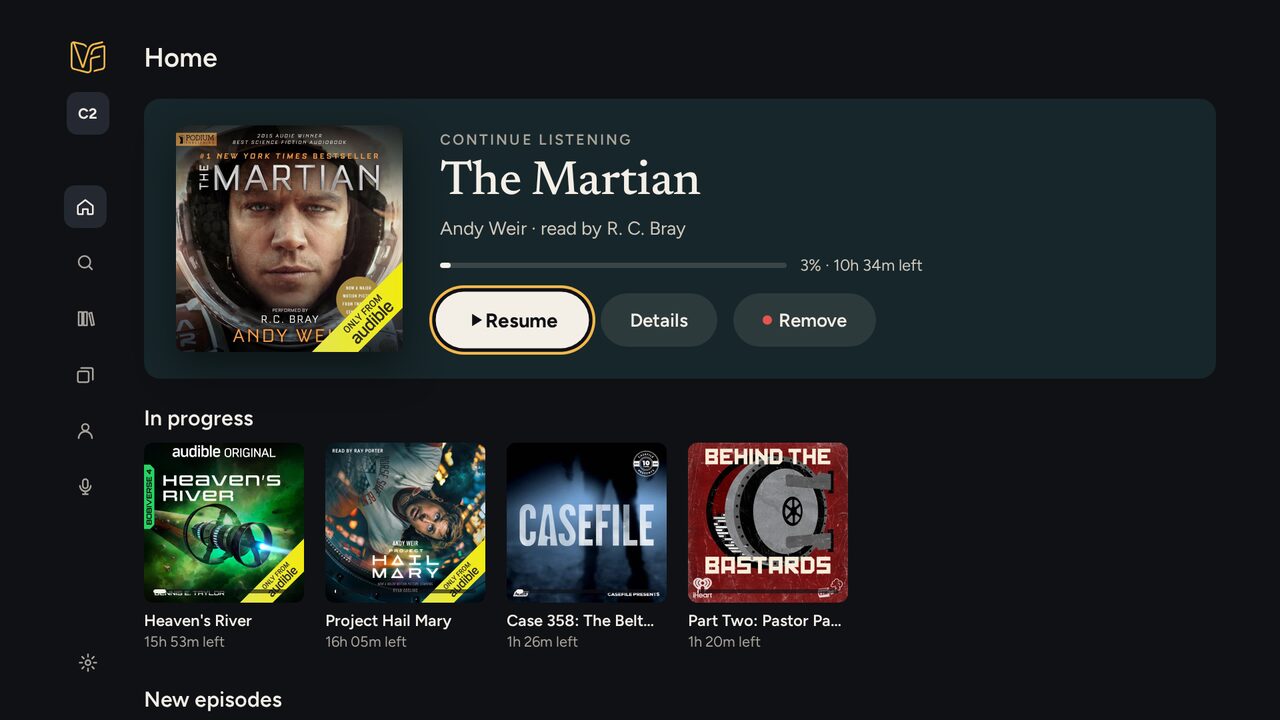
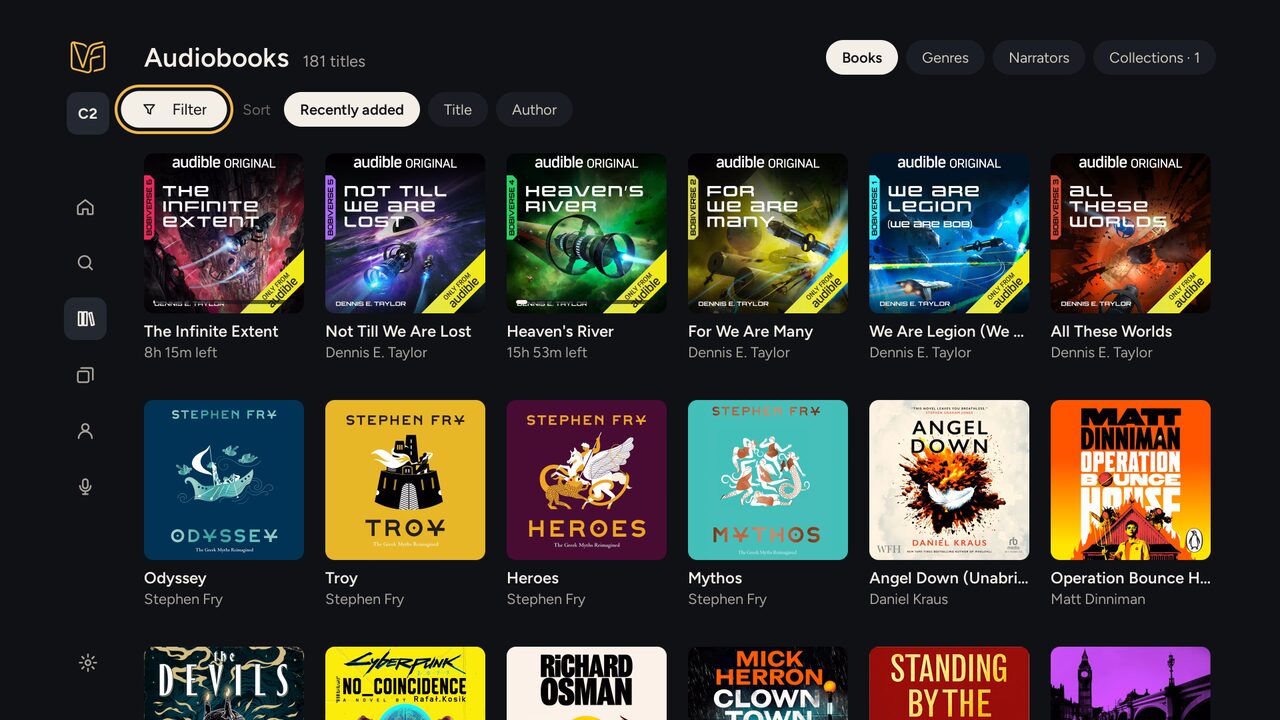
Vox Folio is an audiobook and podcast player for LG televisions running webOS. It connects to an Audiobookshelf server you already run, so your books stay yours, and it keeps your position in sync with the Audiobookshelf apps on your phone and computer.
Pause on the bus, press play on the TV that evening, and the book carries on from the same sentence. If a sync moves you somewhere you didn’t mean to go, there’s an undo.
Made for a TV
Every screen works with a D-pad, and with the Magic Remote’s pointer and scroll wheel. The coloured buttons do things, and a guide shows what each one does on the current screen. Text is sized for reading from across the room.
The screensaver can turn the screen fully black, which matters on OLED panels when a sleep timer is running and nobody’s watching.
Listening
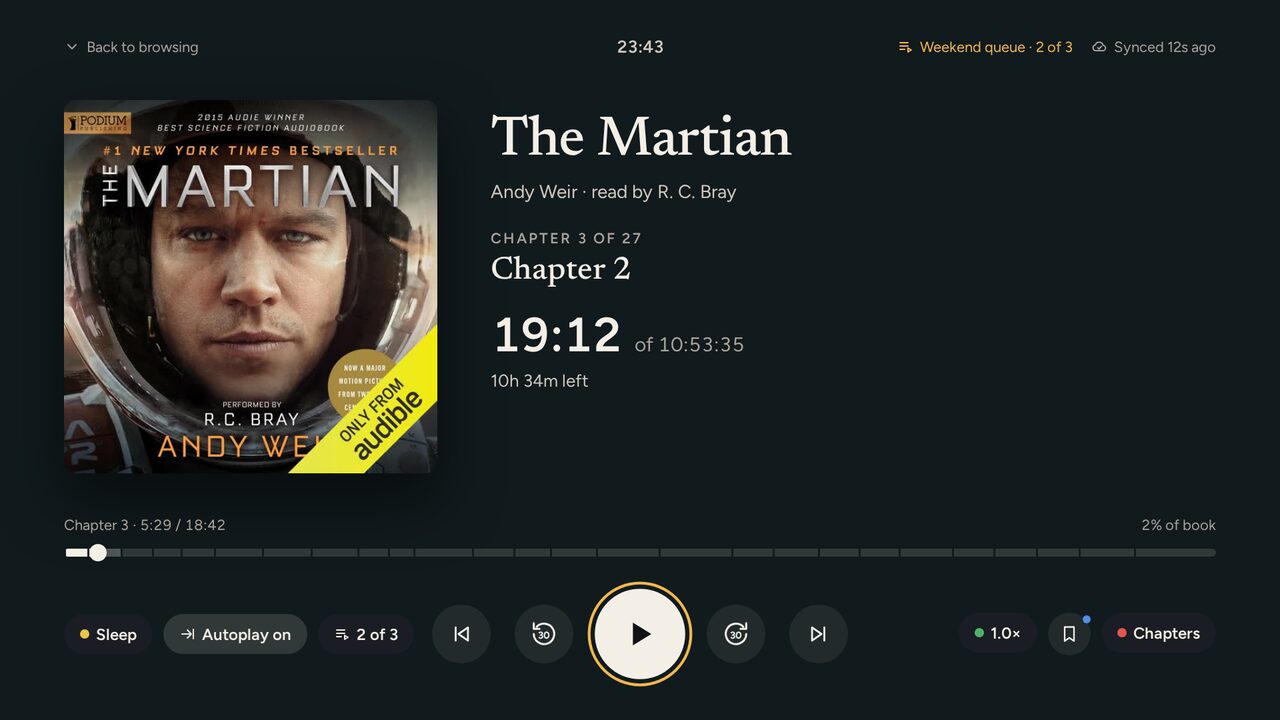
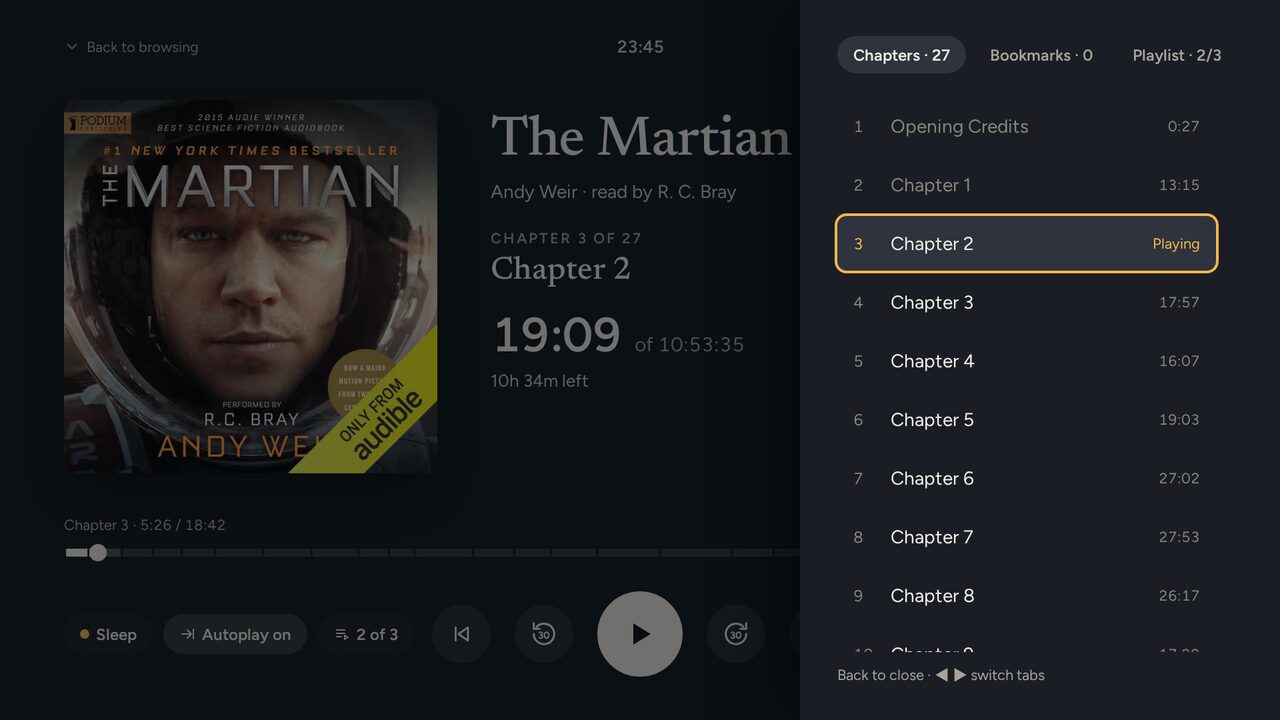
Chapters, bookmarks, and playback from 0.5× to 2× with the pitch kept natural. The sleep timer fades out gently instead of stopping mid-word. Series and playlists carry on by themselves, with an Up Next card before the next book starts.
Podcasts have their own pages, new-episode lists, mark-as-played and a separate playback speed.
A shared TV
The TV in the living room belongs to everyone, so Vox Folio has profiles. Each person keeps their own place in each book, their own settings, and their own Year in Review.
Getting it
Download the latest .ipk from the releases page and install it on a TV in Developer Mode or through the Homebrew Channel. The installation guide walks through both. Vox Folio is tested with Audiobookshelf 2.37 and tells you if your server is too old.

Spec sheet
- Status
- Released, version 0.12.0, Nov 2026
- Runs on
- LG webOS TVs, installed in Developer Mode or with the Homebrew Channel. Needs Audiobookshelf 2.37 or newer.
- Built with
- TypeScript web app packaged for webOS
- Licence
- Free to download. The source is public but has no open-source licence.